This page has been set up to provide information on some of the features of the product, and does not in any way replace the information on the author's web site, nor the help material provided in the product.
I have created this page as a result of a personal interest in the product, and have tried to write it from the perspective of somebody who has not encountered the product before. This is the way in which I have always written software evaluations for the printed media.
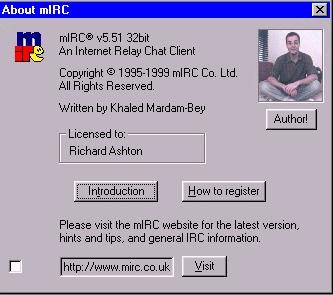
mIRc was written by an Englishman, Khaled Mardam-Bey, whose photograph is on the "about" information page in the product. mIRC is "shareware", that is to say the author generously gives prospective purchasers an unlimited length of time to try it out before paying for it.
So, please make sure that if you do decide to use the product regularly, send the author the equivalent of ten English pounds for the trouble to which he went to provide you with a useful product.
I shall quickly walk you through how you use it, and some of its features, and at the end of this article you will find a link showing how to go about customising the product to your own usage, using a set of menus which I have created as an example, and which you are free to use as they stand, or further modify for yourself.
This page is ideally viewed at a resolution greater than 600 pixels wide - the widest image included in it is the mIRC toolbar which is 599 pixels wide. As a suggestion, please stretch the width of this window so the toolbar is completely visible in the page's window.
Here is a link to the website of the mIRC program.You will find that on the site there are links to download sites in several parts of the world. This link will open in a new browser window so that you don't lose your place on this page, and can switch easily between the two.
mIRC is a simple to use 'Chat client' application specially written to run in 16-bit and 32-bit Microsoft Windows operating systems. This includes Windows 3.1, Windows 3.11, Windows95, Windows98, WindowsNT version 3.51 and WindowsNT version 4. By default the 16-bit mIRC will also run under IBM's Warp 3 and Warp 4 versions of OS/2, one of the most stable 32-bit operating systems ever written.
I shall make no attempt to explain the commands used because these are well covered in Khaled's website, and in the help files provided with mIRC.

Those which respond to a right click are the following...
Options, Channels, and DCC options. They are shown in order below:
Options
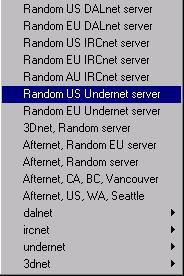
The servers list which drops down under right-clicking Options has several submenus as can be seen from the arrowheads on the right of the menu. All are similar in principle, even if they vary in detail. The detail will vary each time you log in, according to the current server and its immediate predecessors that have been used.
Channels
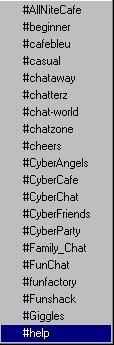
The Channels one has no submenus, and takes the first twenty names alphabetically from the channels list which is located in the mirc.ini file.
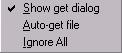
but the DCC (Direct Computer Connection) has,

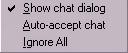

In using the application, it becomes obvious that several different types of window are available, and many can be either opened or minimised simultaneously. Each class of window has its own "right-click" submenu, and these are now shown:
Status Window submenu
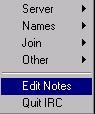
Channel Window submenu

Nicknames submenu
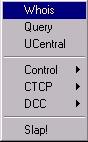
Private Chat submenu
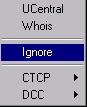
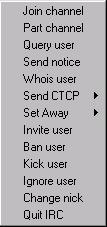
Command Menu
Additionally, a number of functions associated with chatting are available at the "Command" menu tool button; its contents can be exchanged by you should you wish, and its default choices are here:
The other menus are shown here, out of interest. However, none of them is able to be customised to your use:
Files Menu
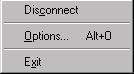
Tools Menu
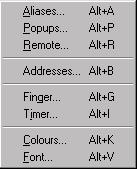
DCC Menu
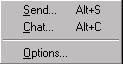
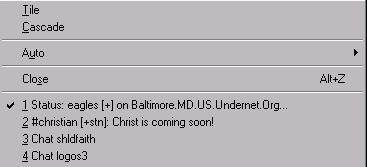
Window Menu
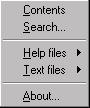
Help Menu
mIRC is Shareware, have you paid for yours?
Shareware is not Freeware. Some Shareware applications, if not registered within 30 days, become freeware. They tell you so.
Other shareware applications stop running after the 30-day period is up, and others will make it very hard for you to actually use the product after expiry.
The guy who wrote mIRC relies upon your honesty to "do the right thing" and send a very small amount of money to him. It is just ten English pounds. The fee then entitles you to upgrades, and to help or "support". There is also a likelihood that further development on the product will take place if people support the guy financially.
I personally use a number of shareware applications, and if you are interested you can take this link to see what products I personally endorse as being worthwhile. Each one is either genuine freeware, or registered shareware.
As you can see, my copy of mIRC is registered. Please register yours, so that we may all benefit from Khaled's expertise. Thank you.
updated on 13th December 1999